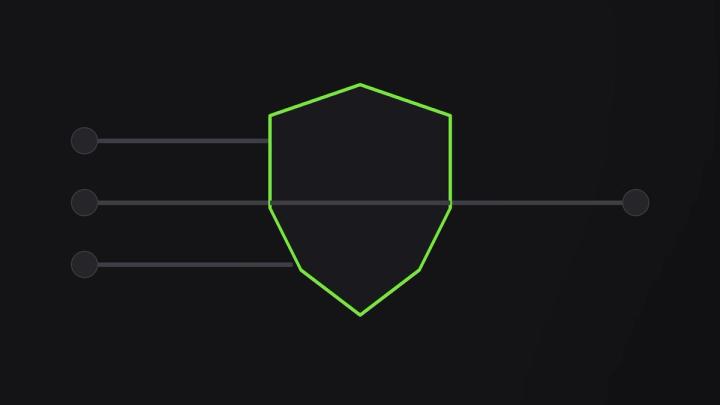
A Discord anti nuke bot protects a server in two ways: it limits who can do damage, and it undoes the damage when someone gets through. With VaultCord, you give staff dashboard access through Teams instead of Discord admin and require 2FA. If a nuke happens, /denuke reverses deleted channels, deleted roles, role removals, and unbans from the last 45 days. A backup rebuilds everything else, and members who verified can be pulled back.
This is for an owner who wants a server that survives a rogue admin or a stolen account. The limit to know first: no bot can stop the owner account, or an account with Administrator, from acting. What stops a nuke is who holds those permissions. What fixes one is recovery that was set up before it happened.
What is a Discord nuke?
A nuke is when someone with high permissions deletes a server’s channels and roles, bans members, or wrecks its settings, usually within minutes. It is usually a staff member who turned on the server, a stolen staff or owner account, or a bot that was given too much power. Discord server nuked? What to do next covers the first hour after one.
Discord’s own guide to permissions describes the risk from a bot with the Administrator permission:
bots with this permission can instantly delete all of your text channels
Give permissions to the right people
Most nukes need one of a few permissions, so the first defense is giving them to as few people as possible. Discord says Administrator grants every permission and bypasses channel permissions, and should be given “on an as-needed basis.”
- Keep Administrator to yourself. Give moderators only what their job needs, such as Kick Members, Ban Members, or Manage Messages.
- Be careful with Manage Server, Manage Channels, and Manage Roles. Each one is enough to do real damage.
- Require 2FA for moderation. Discord turns off Administrator, Manage Server, Manage Channels, Manage Roles, Manage Messages, Kick Members, and Ban Members for anyone without 2FA when the server requires it. How to enable 2FA on Discord shows where the setting is.
- Review bots. Remove any bot you do not recognize, and do not give a new bot Administrator unless its job needs it.
- Check roles after staff changes. When someone leaves the team, take their roles the same day.
Give staff access without Discord admin
VaultCord’s Teams page lets staff manage VaultCord without any Discord permission. In the dashboard, open Teams, press Invite Member, and enter their email. The invitee does not need a VaultCord account yet. Pick the server, then tick only what they need: View Settings, Update Settings, Pull Members, Delete Members, Ban Members, and Send Message. A moderator who only checks verification needs View Settings, not Update Settings or Pull Members.
Turn on Require two-factor authentication on the same page, so team members must turn on 2FA before they can reach your servers. The activity log shows each action with the user, their IP address, and the date. Inviting staff is included on every plan, Free too.
VaultCord’s own slash commands, including /denuke, /backup, /restore, and /pull, are limited to admins by default. If you use VaultCord’s two-factor auth, they also ask for your code.
Lock down the server
Before an attack, lock channels to verified members. In Discord, open Server Settings, then Roles, pick @everyone, and turn off View Channels. Then give your verified role View Channels. New accounts that join during a nuke see only your verify channel until they pass VaultCord’s check.
During an attack, cut off the attacker before anything else:
- Ban the attacker. A ban removes them and their roles at once. Taking away their roles is not enough if you plan to run
/denuke, which gives removed roles back. - Remove bots you did not add, and take Administrator off any role that does not need it.
- Pause invites if raid accounts are joining. How to stop a Discord raid shows where.
- Secure the account that did it. If a staff account was stolen, its owner should change their password and turn on 2FA before they get any role back.
Undo a nuke with /denuke
/denuke reverses changes in your server from the last 45 days, using Discord’s audit log. It does not need a backup. Run it only after the attacker is banned.
- Add VaultCord’s backup bot to the server with the Administrator permission, and move its role to the top.
- Run
/denuke. Only admins can use it by default. - Read the warning. It says this might delete your channels, ban unbanned members, or reverse other audit log history. Press Continue De-nuke only if you accept that.
- Wait for it to finish, then check who holds staff roles. Roles your own team removed in that window come back too.
What it brings back: deleted channels and roles by name, roles removed from members, members the attacker unbanned (banned again), and the old server name. Channels come back without their category, position, or permissions, and roles come back without their color. It does not restore messages, emojis, or webhooks, and it does not lift bans the attacker added. Each server can run it once every 20 minutes.
How to restore a nuked Discord server goes through each step in more detail.
How it works
- 1Limit who can nuke
Keep Administrator to yourself, require 2FA, and give staff VaultCord access through Teams.
- 2Ban, then /denuke
Ban the attacker, then reverse 45 days of channel, role, and unban changes in one command.
- 3Backup and pull
Restore what /denuke cannot rebuild from a backup, and pull verified members back.
Rebuild the rest from a backup
A backup restores what /denuke cannot: channel permissions, categories, positions, role colors, and, on Premium and Plus, messages, emojis, and bans. Make one while the server is healthy:
- In the dashboard, open Backups and press Create Backup, or run
/backupin Discord. - Tick what to save. Free saves roles, channels, and AutoMod rules. Premium and Plus add Messages (the latest 350 per channel), Emojis/Stickers, Bans, and Assigned Roles.
- Make a new backup after big changes. Automatic scheduled backups are on Plus.
To restore, open Restore Server. Delete ALL channels/roles is ticked by default and wipes the server first; untick it to keep what is there. /restore does the same from Discord, and its description warns that it deletes current channels. For messages, see Can Discord restore deleted messages?
Get alerted and bring members back
Server Deletion Alerts email you if your server is nuked, raided, or deleted. Add one in the dashboard with a permanent invite link to the server and the email to notify. Alerts need Premium or Plus. The upgrade page says the alert can also start pulling members into a new server at the same time, at no extra cost.
If the server is gone or members were mass-banned, members who verified with your VaultCord bot can be added back with Pull Members or /pull. Only people who verified, and still authorize the bot, can be pulled. How to pull members on Discord explains the limits. To save members before you need them, see Discord member backup.
What no anti-nuke bot can do
- Stop the owner account. If the owner account is stolen, the attacker can delete the server. Protect it with 2FA, and keep a backup and verified members so you can start again.
- Outrank Administrator. Any account or bot with Administrator can act before a bot reacts. Fewer admins is the real fix.
- Bring back messages without a backup. Discord does not restore deleted messages.
Frequently asked questions
What is the best anti-nuke setup for a Discord server?
Few admins, 2FA required for moderation, staff access through VaultCord Teams, and a recent backup plus verified members. Then /denuke and a restore cover the damage if something gets through.
Can an anti-nuke bot stop a server from being deleted?
No. Only the owner can delete a server, and no bot can block the owner account. That is why alerts, backups, and verified members matter.
Does /denuke need a backup?
No. It reads Discord’s audit log, which keeps entries for 45 days. A backup restores what it cannot.
Is VaultCord’s anti-nuke free?
/denuke, Teams, and backups of roles, channels, and AutoMod rules are on Free. Deletion alerts and message, emoji, and ban backups need Premium ($4.97 a month) or Plus ($9.97), at the standard monthly price.
Why does /denuke need Administrator?
It recreates channels and roles, re-adds roles, and re-bans members, which together need most of Discord’s permissions. Give it to VaultCord’s backup bot only, and ban the attacker before you run it.
Sources and verification
Discord’s pages and VaultCord’s current code were read on the dates shown.
Keep reading
More guides for running a Discord server you can restore.